
Collection of Miscellaneous Problems
The content below was generated entirely by machine translation. Please verify its accuracy. If anything is unclear, consult the Chinese source version.
I will put some errors encountered while writing programs here (or miscellaneous problems such as configuring environments), so that I can come directly here to look when I encounter them again:
They are classified by language, and the time when each error occurred will appear before it.
C++
Creating a Thread with thread When the Function Is Non-static
2022/6/20
If you use std::thread() to create a thread and the function pointer passed in is non-static, you need to write it like this:
1 | thread(&class_name::func_name, this, arg1, arg2, other_args...); |
Because this function is different for each instance, only by passing in the this pointer can it know which instance’s function should actually be executed when the thread runs.
Other
When Compiling the RISC-V Toolchain, riscv64-unknown-elf-gdb Had No TUI Mode Because Curses Was Not Installed
2022/7/12
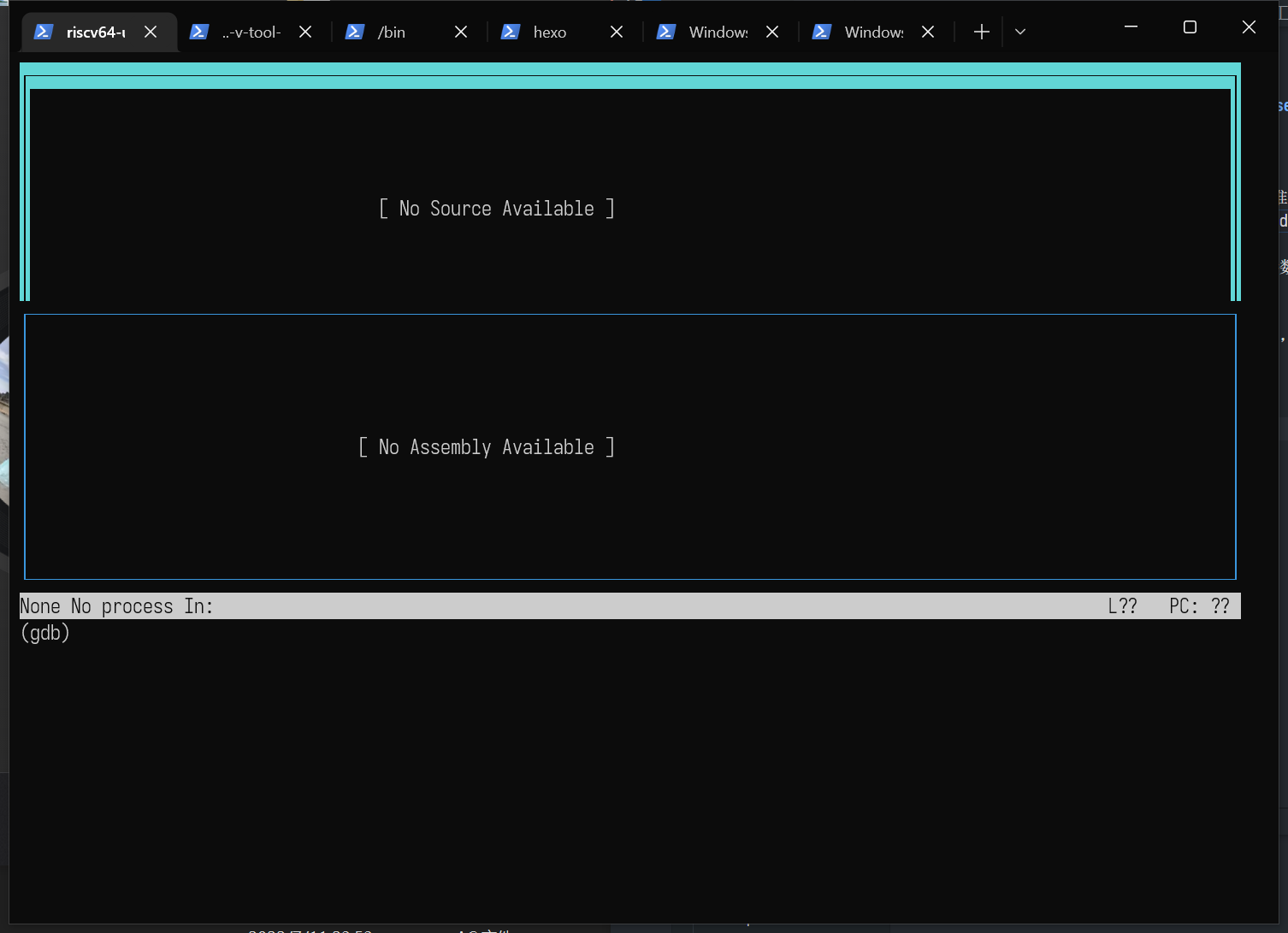
Today was so exasperating. I had already spent a long time compiling it, and then I was preparing to open QEMU and riscv64-unknown-elf-gdb to step through the xv6 kernel. After entering layout split, it unexpectedly told me Undefined command: "layout". Try "help".
Then I tried passing a -tui argument when starting GDB, and it unexpectedly displayed riscv64-unknown-elf-gdb: TUI mode is not supported.
After searching online for a while, I found that it was because curses was not installed, but why did my other GDB installations work???
So I could only download curses and compile it all over again, and the compilation was extremely slow…
Afterward, I could finally use layout successfully.
VS Code
Files Deleted Accidentally with VS Code in WSL Cannot Be Found in the Windows Recycle Bin
This should be a bug? (See this link.) If a file is deleted in VS Code under Windows, the deleted file is automatically moved to the Recycle Bin. Under WSL, however, it is equivalent to running rm directly and cannot be recovered.
At this point, some strange methods are needed. We know that VS Code has a very useful feature called Timeline, which can be used to view previous versions of a file. Although we cannot view the Timeline after deleting the file, the cache is still there. In WSL, these caches are stored in the /root/.vscode-server/data/User/History folder. However, all the filenames are garbled, so it may take some time to find the right one.
Finally, thanks to the comment by “@iutlu” under this Stack Overflow answer; otherwise, I would have had to rewrite what I wrote at noon today.




![[Stanford CS144] Lab 4 Record](/img/CS144/tcp%E7%8A%B6%E6%80%81%E6%B5%81%E8%BD%AC%E5%9B%BE.jpg)
![[Stanford CS144] Lab 0–Lab 3 Lab Notes](/img/CS144/sponge%E7%BB%93%E6%9E%84%E5%9B%BE.svg)